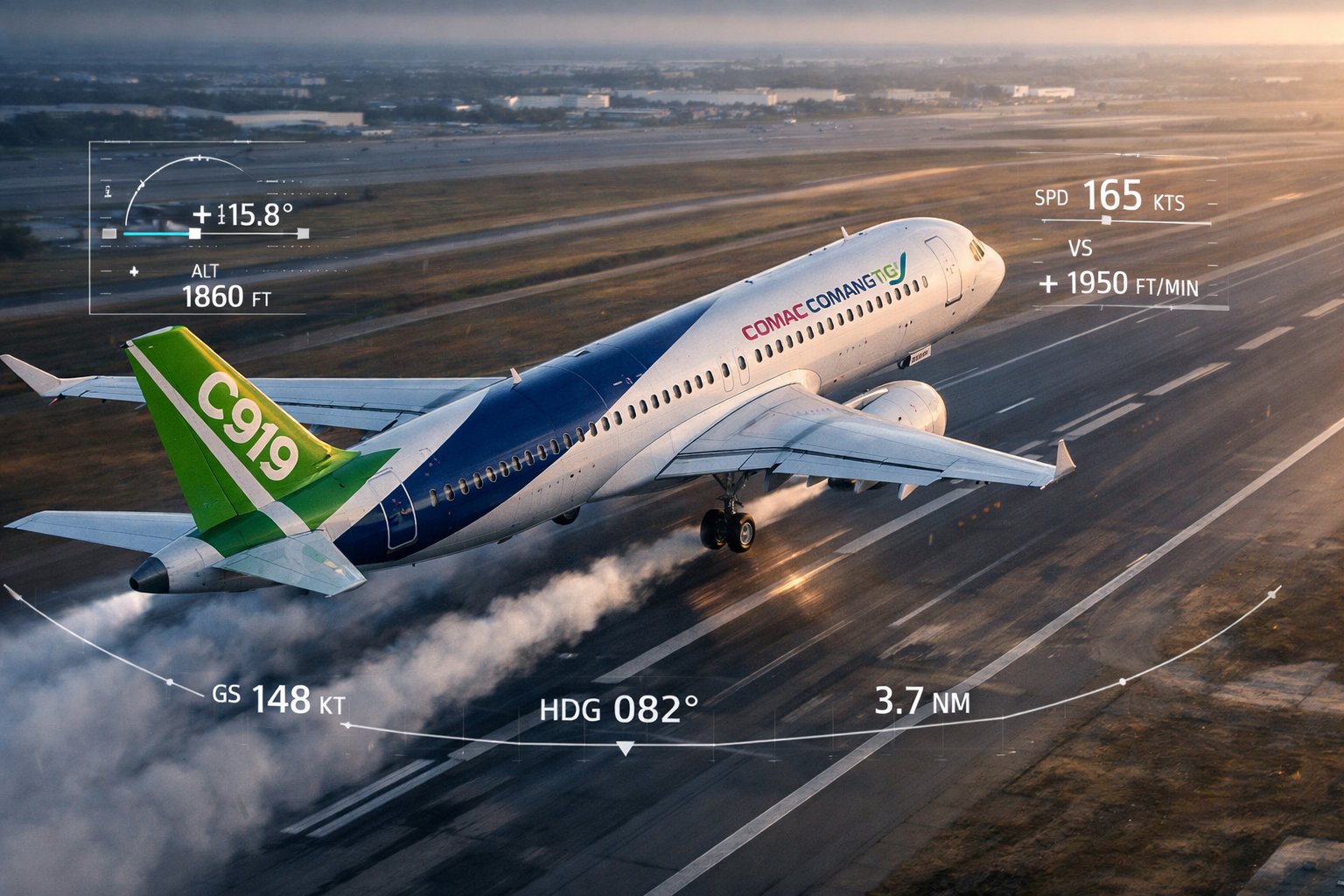
C919
Home / Products / C919 VMT
COMAC C919 · LEAP-1C · Next-Generation Narrowbody

C919
VMT

Virtual Maintenance Trainer

The first engineering-grade desktop simulation system for China's homegrown C919 narrowbody. Built on the official COMAC authorized dataset — full CCAR-147 compliance from day one.

COMAC Official Dataset CFM LEAP-1C Engine 20 ATA Systems 305+ Training Tasks CCAR-147 Compliant MH/T 3028-2013 Grade B
20ATA
System Chapters
Covered
305+
Training Tasks
OP / TEST / D&I / FAULT
12
Student Stations
Per Classroom
1000+
Concurrent LMS
Sessions
24hr
Continuous Runtime
Guaranteed

The C919 Training Platform

The CNFSimulator® C919 VMT is purpose-built for type-rating maintenance training on the COMAC C919 — China's first domestically developed narrowbody airliner. It delivers the same engineering-grade simulation fidelity that airline MRO engineers require, in a desktop system that any CCAR-147 institution can deploy.

  • Complete virtual replica of the C919 cockpit — all panels P1 through P9 fully mouse-operable, including ECAS/EFIS displays
  • Three-layer dynamic schematics (Logic / Structure / Wiring) — live-synchronized with cockpit state in real time
  • Full 3D virtual aircraft with component-level disassembly tasks aligned to C919 AMM procedures
  • Embedded maintenance manual library: AMM, IPC, TSM, FIM, SRM, WDM, ESPM — all searchable
  • Networked classroom: 1 instructor station manages up to 12 student stations simultaneously
  • Full flight simulation: taxi, takeoff, climb, cruise, approach, landing — supporting engine trial run training
CFM LEAP-1C Engine
LEAP-1C — C919 Standard Configuration

High-bypass turbofan delivering N1, N2, EGT, fuel flow, oil pressure and vibration simulation. Full FADEC simulation with complete trial run task library per C919 AMM Chapter 71-00. Engine fault scenarios include hung start, hot start, engine fire, oil pressure loss, high vibration and EGT exceedance.

Aircraft Platform
COMAC C919 Narrowbody

China's first domestically designed and manufactured civil aviation narrowbody, certified by CAAC. Seating 158–192 passengers in single-class config, the C919 competes directly with the Airbus A320 and Boeing 737 families.

Simulation Platform
Lockheed Martin Prepar3D

The VMT runs on Lockheed Martin's professional-grade Prepar3D simulation engine — the same platform used in military and commercial aviation training worldwide. All C919 system behaviors are modelled against the official COMAC authorized dataset.

Dataset Authority
COMAC Official C919 Dataset

Every component model, system logic sequence and maintenance procedure is derived from CnTech's formal COMAC dataset authorization. This ensures full fidelity to the actual aircraft — task numbers, part numbers, and system behavior are aircraft-accurate.

Regulatory Compliance
CAAC CCAR-147 / AC-147-04R1

Designed and validated against the CAAC C919 type-rating maintenance training syllabus. Meets all requirements for AC-147-04R1 Type II practical training, enabling institutions to satisfy CAAC without access to a physical aircraft.

Why C919 Matters

China's Own Commercial Aircraft

The COMAC C919 represents a landmark in China's civil aviation industry — the country's first independently developed and CAAC-certified narrowbody airliner. As airlines across China begin receiving C919 deliveries, the demand for qualified C919 maintenance engineers is growing rapidly. CCAR-147 institutions need a certified, high-fidelity training solution now — not when real aircraft become available for training use.

The CNFSimulator® C919 VMT fills that gap. It is the only desktop maintenance simulator purpose-built for C919 type-rating training, using the official COMAC dataset — not reverse-engineered data.

C919
Aircraft Type
COMAC Narrowbody
LEAP
Engine Family
CFM LEAP-1C
147
CCAR Regulation
CAAC Type-Rating
Gr.B
Simulator Grade
MH/T 3028-2013

Five Integrated Software Modules

The C919 VMT is a tightly coupled five-module system. Every module shares a common real-time simulation state — an action in the cockpit instantly propagates to the schematics, 3D aircraft and work card tracker.

MODULE 01
🎓
Instructor
Interface

Comprehensive classroom management hub for the instructor. Controls the entire training session from a single screen.

  • Select LEAP-1C engine configuration and set aircraft initial state (cold & dark, engines running, etc.)
  • Assign training tasks to individual students or broadcast to all stations simultaneously
  • Real-time fault injection into any student station; four fault categories per ATA chapter
  • Monitor cockpit screen and work card progress of every student in real time
  • Build question banks, issue timed exams, review submissions and export Excel grade reports
MODULE 02
👨‍🎓
Student
Interface

The student's entry point for all training activity — personal account, task reception and session tracking.

  • Personal account login; receives instructor-assigned task and fault configurations automatically
  • Work cards displayed in bilingual format (Chinese and English)
  • Launches Dynamic Schematic Viewer, Virtual Cockpit and 3D Aircraft for the active task
  • Quick-operation controls: freeze simulation, reset aircraft state, open manual reference
  • Exam participation and assignment submission; personal learning history and score records
MODULE 03
📐
Dynamic Schematic
Viewer

Three-layer live schematics covering all 20 ATA system chapters — continuously synchronized with cockpit state.

  • Logic Diagram: functional architecture, component interactions, control logic — ideal for fault isolation
  • Structure Diagram: physical component locations by aircraft zone; clickable for part numbers and status
  • Wiring Diagram: full electrical circuit schematics matching C919 WDM conventions; wire ID and routing
  • Virtual multimeter integration: probe any wire endpoint to measure voltage, continuity or resistance
  • 50ms sync latency — cockpit switch changes are reflected immediately on the schematic
MODULE 04
🖥️
Virtual Cockpit
Software

A complete 3D simulation of the C919 flight deck. Every panel, switch, knob, selector and display is modelled and fully mouse-operable.

  • All cockpit panels P1–P9: PFD/ND, ECAS upper/lower, overhead panel, glareshield, pedestal, CB panels
  • Full ECAS simulation: engine, APU, electrical, hydraulic, fuel, FCTL, pressurization and all system pages
  • EFIS: PFD with FMA, ND in MAP/VOR/ILS/PLAN modes, standby instruments
  • CFDS / BITE simulation: MCDU Maintenance page access, fault code retrieval, test execution
  • LEAP-1C engine parameters: N1, N2, EGT, fuel flow, oil pressure, oil temperature, vibration
  • Flight mode: full taxi, takeoff, climb, cruise, descent, approach, autoland and shutdown sequence
MODULE 05
🛩️
3D Virtual Aircraft
& Manuals

Full exterior and interior 3D model of the C919 for maintenance task execution, plus the complete integrated C919 manual library.

  • Full walkaround access: external panels, nacelles, landing gear bays, avionics bay, cargo doors, tail
  • Component-level disassembly: remove/inspect/install/test following C919 AMM task sequence
  • Ground support equipment: GPU, air cart, fuel bowser, jacks, chocks, stands — all deployable
  • Integrated manuals: AMM, IPC, TSM, FIM, SRM, WDM, ESPM, BITE Manual — searchable by keyword or task number
  • Electronic work cards: bilingual step-by-step guidance; tool and material issuance; electronic sign-off
HOW IT WORKS TOGETHER
🔗
Unified
Training Flow

All five modules run simultaneously and stay in sync. A complete C919 fault isolation session:

  • Step 1 — Instructor remotely injects an ATA 29 hydraulic fault; student sees ECAS warning immediately
  • Step 2 — Student opens Dynamic Schematics to analyze the hydraulic system logic and identify affected circuit
  • Step 3 — Student opens Virtual Cockpit, reads ECAS messages, runs BITE via MCDU Maintenance page
  • Step 4 — Student consults embedded TSM/FIM to confirm fault isolation sequence
  • Step 5 — Student goes to 3D Aircraft, locates the faulty LRU, performs AMM removal and installation task
  • Step 6 — Operational test clears the ECAS message; instructor scores the complete session

ATA System Coverage

The C919 VMT covers 20 major ATA system chapters — the same chapter structure used in C919 airline maintenance documentation. Every chapter supports up to four task categories: Operations, Testing, Disassembly/Installation, and Fault Isolation.

ATA (Air Transport Association) chapter numbering is universal across all civil aircraft. ATA 24 is always Electrical Power, ATA 29 is always Hydraulics. The C919 VMT covers all key systems that appear in the CAAC AC-147-04R1 C919 type-rating syllabus.

Four task categories are provided for each covered ATA chapter, for a total minimum of 305 training tasks:

55
Operation Tasks
137
Test / BITE Tasks
49
Disassembly / Install
64
Fault Isolation Tasks
Total Systems
20
ATA Chapters
Engine Configuration
CFM LEAP-1C
China's C919 standard engine
ATA 21
Air Conditioning
Pack flow control, zone temperature, pressurization, outflow valve, cabin altitude warning
19 tasks
ATA 22
Auto Flight
AFCS modes (AP/FD/AT), all FMA modes, FCU panel, go-around logic, ILS autoland
20 tasks
ATA 23
Communications
VHF/HF radio tuning, audio control panels, SELCAL, PA system, cockpit voice recorder
10 tasks
ATA 24
Electrical Power
AC/DC bus system, IDG/generator control, APU generator, external power, battery, TR units, CB panels P6/P18
26 tasks
ATA 26
Fire Protection
Engine/APU fire detection loops, overheat detection, fire bottle discharge, squib test, cargo smoke detection
11 tasks
ATA 27
Flight Controls
Primary and secondary flight controls, spoilers, speed brakes, slats/flaps, trim system, SFCC logic
23 tasks
ATA 28
Fuel
Fuel pump control, crossfeed valve, jettison system, APU fuel feed, fuel quantity indication, FQMS
18 tasks
ATA 29
Hydraulics
Three-system hydraulics (SYS 1, SYS 2, STBY), EDP/EMDP pumps, PTU, reservoir, pressure indicators
19 tasks
ATA 30
Ice & Rain Protection
Wing anti-ice, engine cowl anti-ice, TAT/SAT probe heating, windshield heating, rain repellent
11 tasks
ATA 31
Instruments & Recording
ADIRS, EFIS control panels, DFDRS, chronometer, maintenance access terminal (MAT)
11 tasks
ATA 32
Landing Gear
Main and nose gear retraction/extension, gear doors, braking system, anti-skid, autobrake, steering
19 tasks
ATA 33
Lighting
All exterior lighting (nav/strobe/beacon/logo/landing/taxi), interior lighting, emergency lighting system
14 tasks
ATA 34
Navigation
IRS/ADIRU, VOR, ILS, DME, ADF, transponder, TCAS, FMS/MCDU, GPS, radio altimeter
14 tasks
ATA 35
Oxygen
Flight crew oxygen system (diluter demand), passenger oxygen deployment, portable equipment
10 tasks
ATA 36
Pneumatics / Bleed Air
Engine bleed valves, APU bleed, isolation valve, cross-bleed, precooler, PRSOV, FAV, overheat protection
15 tasks
ATA 49
APU
APU start/run/shutdown, APU bleed, APU generator, APU fire protection, FADEC interface
13 tasks
ATA 52
Doors
Passenger doors, cargo doors, emergency exits — open/close/arm/disarm, slide deployment, door warning system
10 tasks
ATA 53
Fuselage Structure
Structural access panels, skin repair data, fastener replacement procedures (SRM-referenced tasks)
6 tasks
ATA 70
Powerplant (LEAP-1C)
LEAP-1C engine trial run, N1/N2/EGT/FF/oil/vibration, FADEC, engine change procedure, borescope access
20 tasks
ATA 25
Equipment & Furnishings
Seat removal/installation, galley servicing, lavatory maintenance, oxygen bottle replacement (cabin)
6 tasks

Key Capabilities

Four core simulation capabilities that set the CNFSimulator® C919 VMT apart from conventional training aids.

C919 Virtual Cockpit — All Panels Operable

The CNFSimulator® C919 VMT provides a complete 3D simulation of the COMAC C919 flight deck. Every panel, switch, knob, selector and display is modelled against the official COMAC dataset and fully mouse-operable. The cockpit is the central state engine — any change here instantly propagates to all other software modules.

  • P1Captain Main Panel: PFD 1, ND 1, standby instruments, landing gear lever, flap indicator
  • P2Center Main Panel: ECAS upper (engine) + ECAS lower (all system pages), clock, chronometer
  • P5Overhead Panel: all aircraft systems — electrical, fuel, hydraulics, fire, APU, anti-ice, pressurization
  • P7Glareshield: AFCS control panel — speed, heading, altitude, V/S, AP/AT engage buttons
  • CBCircuit Breaker Panels P6 and P18: pull, collar and warning tag operations all supported
  • FDFull CFDS simulation: BITE test via MCDU Maintenance page, fault code retrieval, system reset
C919 Cockpit Panel Layout
P1 — Captain
PFD 1, ND 1, standby instruments, landing gear
P2 — Center
ECAS upper + lower, clock, system pages
P3 — First Officer
PFD 2, ND 2, standby instruments, alt gear ext.
P5 — Overhead
All major systems: ATA 21–49 controls
P7 — Glareshield
AFCS: AP/FD/AT, speed/hdg/alt/VS, FD switches
P6 + P18 — CB
Full circuit breaker panels — pull, collar, tag ops
P8/P9 — Aft Electronics
Nav displays, TCAS, weather radar, audio, SELCAL
Pedestal
Thrust levers, speed brake, flap lever, MCDU, radio

Three-Layer Live Schematics

The Dynamic Schematic Viewer covers all 20 ATA system chapters with three complementary diagram layers that update continuously in real time. Students see the direct relationship between cockpit actions and system behavior — replicating the diagnostic process used by working engineers.

  • L1Logic Diagram — functional architecture and control logic; component interconnections, valve positions, sensor inputs; fault state color-coding (red / amber / green)
  • L2Structure Diagram — physical component locations by aircraft zone; cutaway views; clickable components display part number, ATA reference and serviceability status
  • L3Wiring Diagram — full electrical schematics matching C919 WDM conventions; wire identification with pin numbers, connector designations and routing zones
  • Virtual Multimeter — probe any wire endpoint to measure voltage, continuity or resistance; simulation-accurate values change when faults are active
  • 🔄50ms Sync — cockpit switch changes are reflected on the schematic within one simulation cycle; bidirectional synchronization with all other modules
Schematic Layer Types
Logic Diagram
System architecture, component states, control logic — live sync
Structure Diagram
Physical locations, zone layout, component access, part references
Wiring Diagram
Electrical circuits, wire IDs, connector refs, virtual multimeter
Live Cockpit Sync
All three layers synchronized to cockpit state within 50ms
TIP
Run the schematic viewer and cockpit software on separate monitors simultaneously for maximum training effectiveness.

Full-Fidelity Fault Injection

The fault simulation system allows the instructor to replicate any failure condition a maintenance engineer might encounter on the real C919. Faults take effect within one simulation cycle and produce exactly the same cockpit indications, ECAS messages, and system behavior changes as the real aircraft fault.

  • Operation Faults — fault manifests during normal operation; student identifies abnormal cockpit state and executes abnormal checklist
  • Test / Functional Faults — fault revealed only during AMM test procedure; student interprets BITE test results
  • Disassembly Faults — fault caused by incorrect maintenance; student identifies maintenance-induced problems
  • Malfunction (FIM) — complex failure requiring fault isolation manual procedures; multi-system interaction analysis
  • 📝Fault history logged with timestamps; instructor can review the complete isolation workflow in the student session record
C919 Troubleshooting Workflow
01
Identify FaultRead ECAS message and associated caution/warning annunciators
02
Access TSMOpen embedded Troubleshooting Manual; navigate to fault code or system page
03
Perform BITE TestAccess MCDU Maintenance page or system-specific BITE panel; run the commanded test
04
Interpret BITE ResultBITE returns fault code and LRU identification; cross-reference with FIM
05
Isolate the FaultFollow FIM decision tree; use virtual multimeter for additional measurements
06
RectifyRemove faulty LRU in 3D Virtual Aircraft following AMM removal task
07
Verify RectificationClear BITE fault memory; perform AMM operational test; confirm ECAS message clears

LEAP-1C Engine Trial Run

The engine trial run module follows the C919 AMM procedure sequence from preparation through shutdown. Students train on the complete LEAP-1C trial run task library — normal runs, power checks and fault scenarios — without requiring a real aircraft on the ramp.

  • N1LEAP-1C parameters: N1, N2, EGT, fuel flow, oil pressure, oil temperature, vibration — all simulation-accurate
  • FDFull FADEC simulation: auto-throttle, thrust limit modes (TOGA, FLEX, CLB, CRZ), reversionary modes, FADEC BITE
  • Engine start types: normal start, APU-assisted start, cross-bleed start, ground cart start — all simulated
  • Fault scenarios: hung start, hot start (EGT exceedance), engine fire, oil pressure low, high vibration, N2 overspeed
  • Full flight simulation: from pre-flight preparation through taxi, takeoff, cruise, approach and autoland (CAT II/III)
LEAP-1C Trial Run Task Sequence
TR-01
Pre-run preparation — safety zone, weight, fuel
TR-02
Engine start — N2 rotation, light-off, EGT rise, idle stabilization
TR-03
Ground idle check — all parameters, ECAS status, vibration
TR-04
Acceleration to CLB thrust — thrust lever advance, autothrottle check
TR-06
Cruise power check — CRZ setting, SFC, bleed effects
TR-08
Engine shutdown — fuel shutoff, N2/N1 decay, oil scavenge
FAULT
5 fault scenarios: hung start, hot start, fire, oil pressure low, high vibration

Training Workflow

The C919 VMT is structured to support the full CAAC CCAR-147 type-rating curriculum — from initial system familiarization through advanced fault isolation and formal examination.

Phase 1–2
System Familiarization & Operations
Phase 3–4
Testing, BITE & Disassembly
Phase 5–6
Fault Isolation & Engine Trial Run
Phase 7
Examination & LMS Assessment
01

Cockpit Orientation (10–15 hrs)

Students begin with cockpit panel familiarization — locating and operating all switches, selectors and circuit breakers across P1, P2, P3, P5, P6, P7 and P18 panels. Bilingual work cards ease the transition to English-language technical documentation.

02

System Overview & Schematic Reading

Instructor assigns system overview tasks using the Dynamic Schematic Viewer. Students learn to read Logic, Structure and Wiring diagrams for each ATA chapter before performing hands-on tasks. The live sync shows how cockpit switches control system behavior in real time.

03

Normal Operation Tasks — All 20 ATA Chapters (20–30 hrs)

Students complete all 55 Operation-category tasks across 20 ATA chapters. Each task follows an AMM-referenced work card. Task completion is recorded automatically in the LMS. Instructor monitors progress from the instructor station in real time.

Regulatory Compliance

The CNFSimulator® C919 VMT is designed and validated against all applicable CAAC regulations and technical standards for C919 type-rating maintenance training.

Regulatory Framework
CAAC CCAR-147 / AC-147-04R1

Complies with CAAC (Civil Aviation Administration of China) approved training organization requirements for Part 147 type-rating maintenance training. Satisfies the AC-147-04R1 Type II practical training syllabus specifically for the C919 aircraft type — the most current regulatory framework for this new-generation platform.

Industry Standard
MH/T 3028-2013 Grade B

Meets the Chinese civil aviation industry standard for maintenance simulator grading. Grade B requirements cover simulation fidelity, system accuracy, fault modeling capability and operational safety features — the same standard applied to A320 and B737 VMT systems, confirming consistent quality across the CNFSimulator® product line.

Data Authorization
COMAC Official Dataset

Developed exclusively on the official COMAC C919 authorized aircraft dataset. CnTech holds formal COMAC authorization certificates confirming the legitimacy of the data source. All task numbers, part numbers and system behaviors correspond directly to the actual C919 aircraft documentation used by airlines and MRO facilities.

!
Important Note on Compliance

Regulatory approval ultimately rests with your institution's CCAR-147 authorization. The C919 VMT provides the simulation tool that satisfies the practical-training requirements — your school's existing CAAC approval covers the training activity. CnTech provides official dataset authorization certificates and simulator compliance documentation to support your institutional accreditation process.

Get Started
Ready to Deploy C919 VMT?

Contact our team for a live demonstration, pricing information or technical consultation.

CNFSimulator®