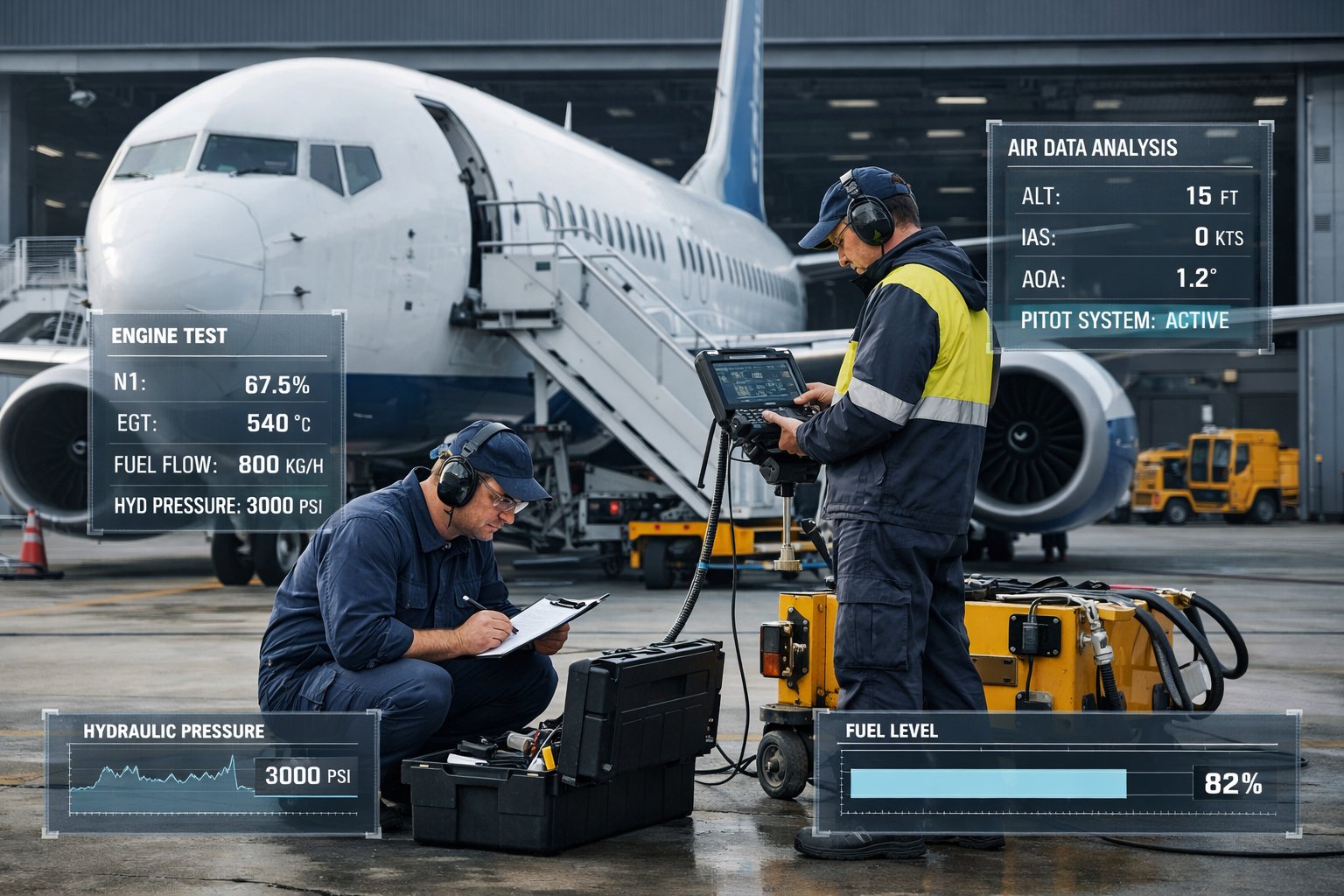
CNFSimulator® · Model 02 · Boeing B737-800
B737 VMT
Boeing B737-800 Virtual Maintenance Trainer — FIM-based fault isolation, circuit breaker panel simulation, and virtual specialist test equipment.
Boeing B737-800 Virtual Maintenance Trainer — FIM-based fault isolation, circuit breaker panel simulation, and virtual specialist test equipment.
The Boeing 737 family is the best-selling commercial aircraft in history, with the B737-800 representing the most widely operated variant in the narrowbody market. Maintenance technicians trained on the B737-800 find employment at virtually every airline and MRO facility worldwide, making this type one of the most commercially important in aviation maintenance training.
The CNFSimulator® B737 VMT is designed around the Boeing B737-800 with CFM56-7B engine — the standard powerplant for this type. What distinguishes the B737 VMT from the other products in the CNFSimulator® range is its deep integration with Boeing's actual maintenance methodology: the system is built around the FIM (Fault Isolation Manual) troubleshooting workflow, and includes circuit breaker panel simulation and virtual specialist test equipment — features specific to Boeing maintenance procedures that do not exist in the A320 or C919 variants.
The B737 VMT covers 18+ ATA chapters and supports a classroom configuration of 1 instructor station and up to 12 student stations connected over a local network.
View software modulesThe B737 VMT is the only product in the CNFSimulator® range with dedicated circuit breaker panel simulation (P6 and P18) and virtual specialist test equipment — both central to Boeing maintenance procedures. These features make it uniquely suited to Boeing type-rating training programmes.
Four capabilities derived directly from Boeing's maintenance engineering methodology. These features are not available in the A320 or C919 VMT products — they are specific to Boeing aircraft maintenance practice and are included here to give students the closest possible experience to working on a real B737-800.
The Boeing FIM (Fault Isolation Manual) is the official Boeing procedure for diagnosing aircraft faults. The B737 VMT is built around this methodology — when a fault is active, students must use the FIM task procedure to isolate and clear it, using the CDU and BITE systems following the same workflow a Boeing technician would use on the line. This is not a simplified simulation: the FIM tasks reflect Boeing's actual fault isolation logic, and students must follow the correct sequence to receive a valid result. This workflow is central to B737 type-rating training and is not replicated in the A320 or C919 products.
The B737 VMT includes a complete simulation of the P6 (First Officer's circuit breaker panel) and P18 (Captain's circuit breaker panel). Every circuit breaker is individually clickable with realistic electrical logic — pulling a breaker de-energises the associated system, and the cockpit responds accordingly with the correct annunciations and system changes. Circuit breaker manipulation is central to Boeing fault isolation procedures and system isolation tasks. This level of CB panel simulation is unique to the B737 VMT in the CNFSimulator® product line.
Certain B737 ATA chapter maintenance procedures require dedicated specialist test sets that are not standard workshop tools — including Navigation/Communication test sets for ATA 23 and 34 radio system testing, and ADIRU test equipment for ATA 34 inertial reference procedures. The B737 VMT includes virtual simulations of these test sets, enabling students to perform test procedures that would otherwise require expensive physical equipment. This feature is unique to the B737 VMT and directly reflects the tooling requirements of real B737 line maintenance.
The B737 VMT incorporates a SIMDIRECTOR-based task guidance system that walks students through maintenance sequences with contextual prompts at each step. This is particularly valuable for students who are new to Boeing procedures and unfamiliar with the specific workflow conventions of B737 maintenance documentation. The SIMDIRECTOR mode can be enabled or disabled by the instructor — enabling it for initial-level students, and disabling it for advanced students who are expected to work from the AMM independently.
The B737 VMT consists of six software modules that operate simultaneously and remain synchronised throughout a training session. The B737 VMT has one more module than the A320 and C919 products — the dedicated Virtual Test Equipment module — reflecting the additional tooling requirements of Boeing maintenance procedures.
The instructor station provides full visibility and control of the entire training session from a single interface. The instructor selects training tasks, injects faults into student stations, and monitors each student's current step and task status in real time.
Fault injection is immediate — the cockpit of the affected student station responds with the correct EICAS warnings, annunciator lights, and system changes as soon as the fault is injected. The instructor can inject faults at the ATA chapter and fault-type level, covering all 18+ supported chapters.
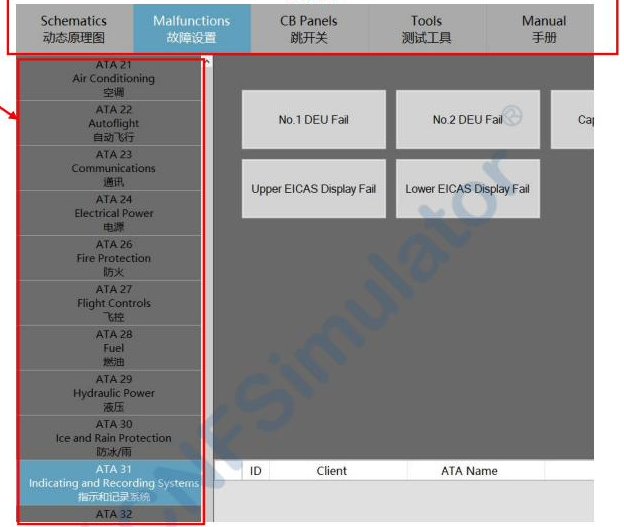
The student interface is the central hub from which trainees access all simulation modules. It receives task assignments from the instructor and provides access to bilingual work cards, task history, and quick-access controls for common ground service functions.
For guided training, bilingual (Chinese/English) step-by-step work cards walk students through each procedure. For advanced Boeing-standard training, the interface provides access to the full AMM and FIM manual set, and students navigate procedures independently.
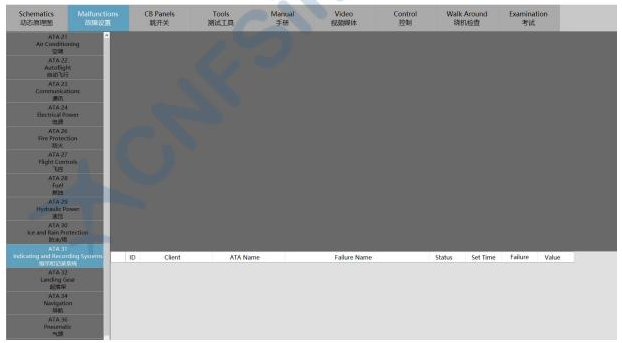
The virtual cockpit is a complete, fully interactive simulation of the entire B737-800 flight deck, covering all nine cockpit panels. Every switch, button, indicator, and display is modelled and responds to student inputs with the correct system logic — including EICAS messages, warning lights, and aural alerts.
The circuit breaker panels (P6 and P18) are fully simulated with individual breaker logic, which is essential for Boeing fault isolation procedures. The CDU provides access to the FMC, ACARS, and maintenance pages for BITE testing and fault code retrieval.
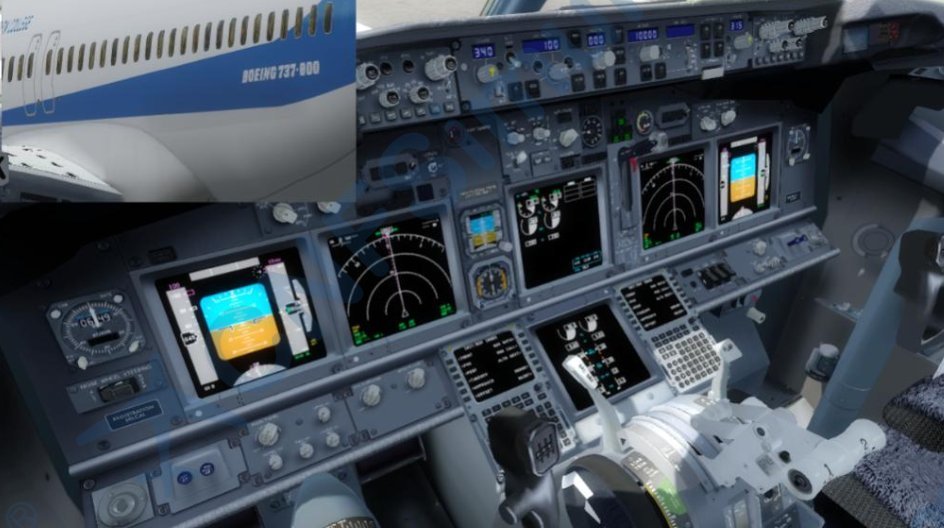
The dynamic schematic module displays all 18+ B737 aircraft systems as animated, real-time diagrams. All component states — valve positions, pressure values, signal flows — reflect the live cockpit state and update immediately when a switch is operated or a fault is injected.
The module supports three diagram layers: the dynamic system logic diagram, the structural composition diagram, and the wiring measurement diagram. A virtual multimeter is available for simulated resistance and voltage measurements during fault isolation tasks.
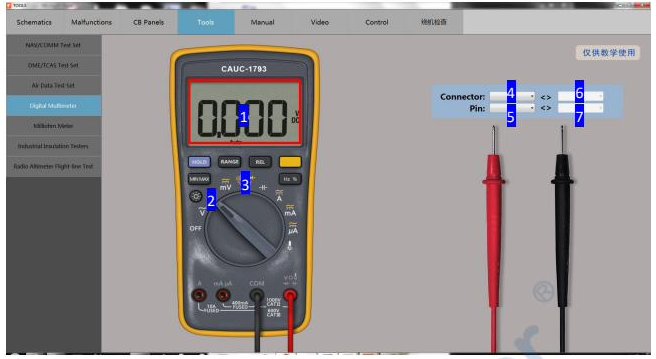
The 3D virtual aircraft module provides a complete exterior and interior model of the B737-800, allowing students to perform physical maintenance tasks including component removal and installation, walkaround inspections, panel access, and equipment bay entry.
The integrated manual system includes the complete B737 maintenance documentation set. Students can reference AMM, FIM, IPC, WDM, SSM, and BITE documentation without leaving the training environment. Custom PDF manuals and work cards can also be added to the system.
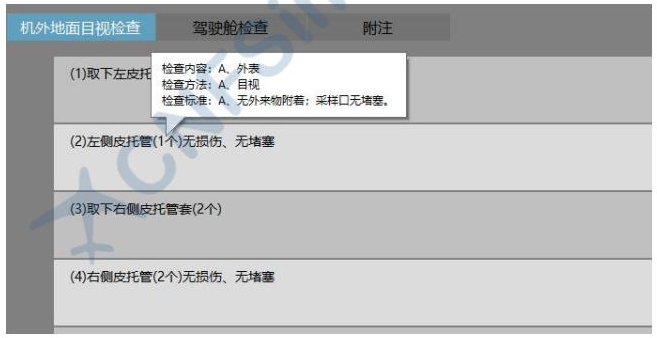
The virtual test equipment module is unique to the B737 VMT — it does not exist in the A320 or C919 products. It provides simulated versions of the specialist maintenance test sets required for certain B737 ATA chapter procedures, enabling students to perform test tasks that would otherwise require expensive physical equipment.
The availability of virtual test equipment means that training organisations can deliver complete B737 ATA 23 and ATA 34 maintenance procedures without needing to procure or maintain the corresponding physical test sets — a significant reduction in training infrastructure cost.
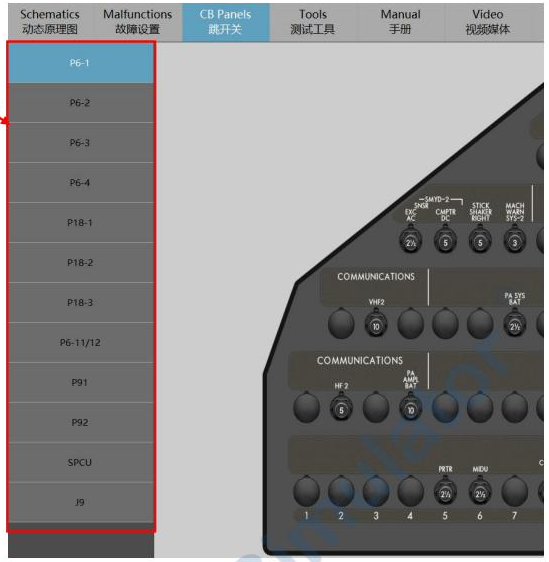
The B737 VMT covers 18+ ATA chapters, structured according to Boeing's maintenance documentation standard. Each chapter supports four task categories, allowing students to progress from basic system operation through to independent FIM-based fault isolation — the professional standard for Boeing line maintenance.
A complete FIM-based fault isolation session from fault injection to clearance — showing how the B737 VMT's modules work together in Boeing's maintenance workflow.
The instructor selects a fault from the B737 fault library and injects it into student stations. The cockpit immediately displays the correct EICAS message and warning lights. Students see the same cockpit state they would encounter on a real B737-800 with the same fault active.
Students read the EICAS fault message and access the CDU maintenance pages to retrieve the stored fault code. The fault code provides the ATA chapter reference and directs the student to the relevant FIM task number — the same process a Boeing technician follows on the line.
Students open the integrated FIM manual and locate the referenced fault isolation task. The FIM procedure specifies the exact sequence of BITE tests, circuit breaker checks, and system tests required to isolate the fault. Students must follow this sequence correctly — deviations are logged.
Students perform the BITE tests specified in the FIM, using the CDU to initiate each test. Where the FIM procedure requires circuit breaker checks, students operate the P6 or P18 CB panel to pull or reset the relevant breakers. The schematic module shows the effect of each action on the affected system in real time.
Once the FIM procedure identifies the faulty component, students switch to the 3D aircraft module to locate and access it. They perform the removal and installation procedure, selecting the correct tools from the virtual tool library — including any specialist test sets required for post-maintenance testing.
After the component replacement, students return to the cockpit to perform the post-maintenance BITE test specified in the FIM. When the test passes and the EICAS clears, the task is complete. The instructor reviews each student's session log and conducts a debrief based on the recorded step sequence.
The B737 VMT is used across three primary groups, each benefiting from the platform's Boeing-specific training methodology.
For aviation engineering programmes with a Boeing specialisation, the B737 VMT provides type-specific practical training on the world's most widely operated narrowbody aircraft. The FIM-based training methodology aligns directly with Boeing's actual maintenance documentation, preparing students for the workflow they will encounter in professional employment.
Approved training organisations running B737-800 type-rating courses can use the B737 VMT to deliver the practical simulation component of their programmes. The system supports FAA Part 147 and EASA Part 147 Type II practical training requirements for the B737-800 type, reducing the need for access to a B737-800 aircraft during the training period.
Airlines and MRO operators use the B737 VMT for new hire type familiarisation and recurrent fault isolation training. The FIM-based workflow is particularly valuable for fault isolation skill maintenance — it allows technicians to practice scenarios that are difficult to set up on a live aircraft, including rare or safety-critical fault types.
Contact our team for a live demonstration, technical consultation, or pricing information. On-site installation and initial instructor training are available as part of the deployment package.